
Printing Process & Proof Approval
TWO APPROVALS. ONE CLEAR REFERENCE.
Printing Process &
Proof Approval
PUNDY’s usual digital layout proof is printed on coated paper to check text, fonts, images and layout after file processing. It is not for final color approval. For color-critical work, confirm the actual paper, printing process and final finish separately before production.
See the two approval stages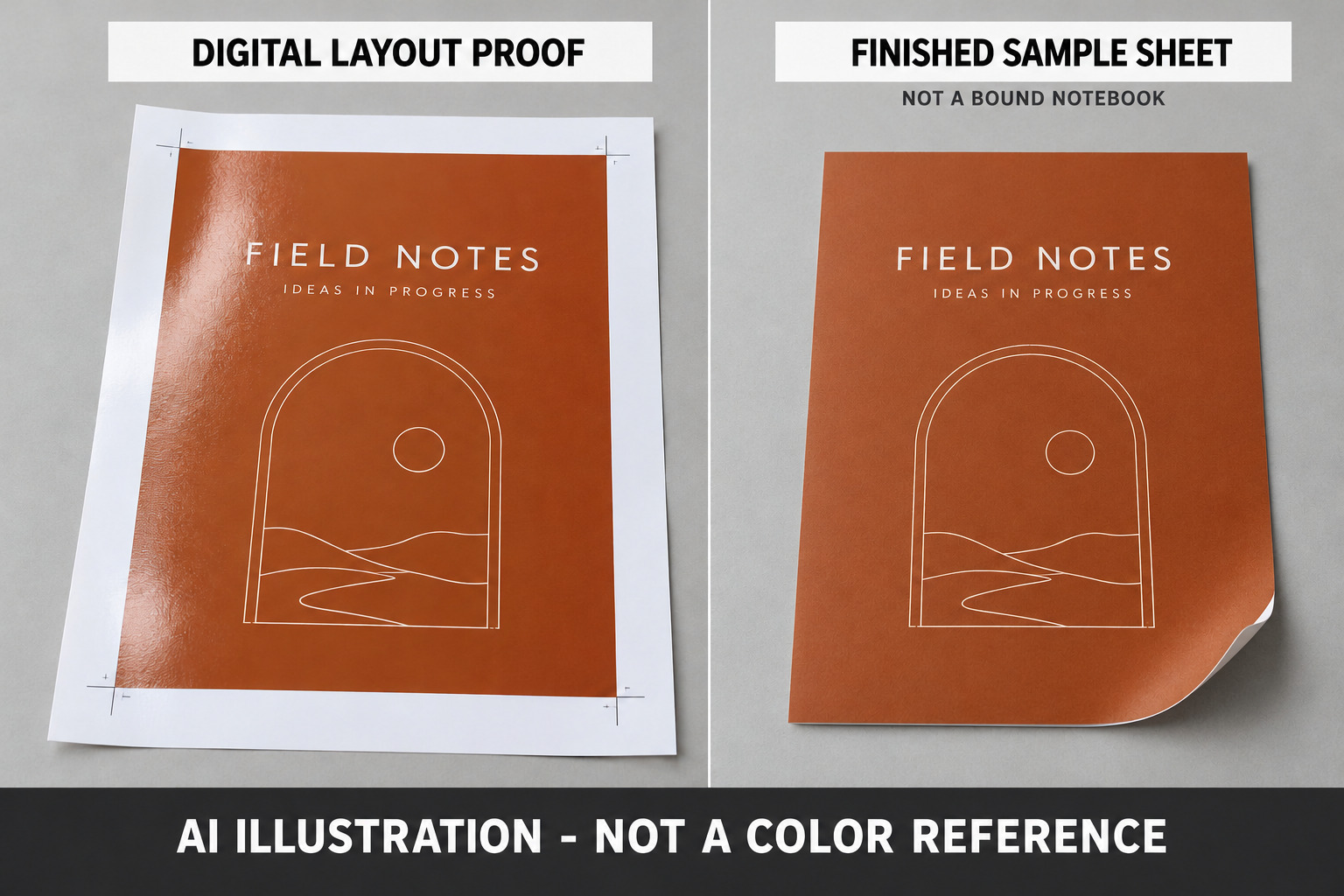
WHAT YOU ARE SIGNING OFF
Approving the layout is not approving the final color.
A glossy digital proof can look more vivid than an uncoated-paper print with matte lamination. In this workflow, the proof checks whether your artwork survived file processing correctly. It is not a prediction of the finished surface.
Text & layout approval
DIGITAL LAYOUT PROOF / COATED PAPER
- Check for missing or substituted characters and fonts.
- Check line breaks, image placement, dates and page order.
- Confirm the file version, finished size and supplied proof scale.
Not for final color, grid darkness or finish approval.
Color & finish approval
ACTUAL PAPER / PRODUCTION PROCESS / FINAL FILM
- For color-critical work, review a physical sample made with the specified production paper and printing method.
- For a matte-laminated order, assess the sample after matte lamination.
- Identify the agreed sample and acceptance conditions before authorizing the run.
A flat sample does not also approve binding or every finished-product detail.
Why can the same artwork look different?
Different printing conditions
A digital layout proof and the production press may reproduce the file differently.
Coated is not uncoated
Paper shade, surface and coating affect how the printed color appears.
Judge the finished surface
Matte lamination changes reflection and can change perceived color. An unfinished sheet is not the final reference.
No fixed “lighter by X%” rule. These factors explain why the approval stages differ; they do not excuse any departure from the agreed production reference.
FOR OVERSEAS BUYERS
You do not have to visit the pressroom to review a physical sample.
PUNDY can prepare a pre-production sample using the actual specified paper, the production printing method and matte lamination, and send it to you before the production run. This US$100 option is a flat, matte-laminated sample sheet, not a bound notebook. PUNDY retains one corresponding reference sample. Other finishes and sample types require separate confirmation.
Confirm the sample scope, preparation time and shipping arrangements with PUNDY before ordering. Confirm whether courier charges are included in your quotation.
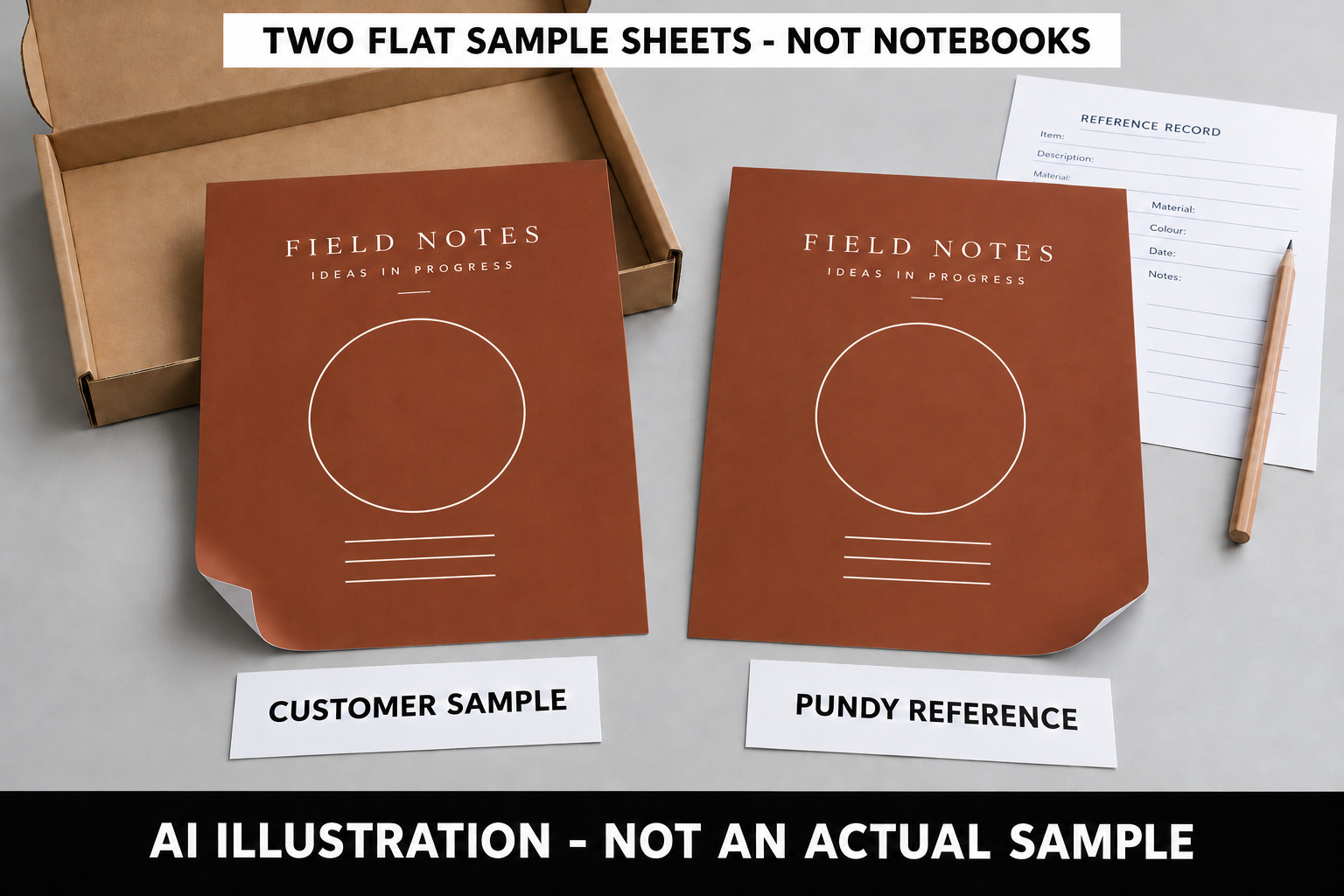
- Confirm the target. Tell us which colors or fine details matter and specify the final paper and finish.
- Review the physical sample. Check the received sample under consistent lighting. Photos and video can support discussion, but an ordinary screen image is not a reliable final-color reference.
- Record the decision. Identify the artwork version, sample reference, paper, finish and any agreed changes. Keep text/layout approval separate from color/finish approval.
What if I cannot receive a physical sample?
Contact PUNDY before production to agree an alternative reference and document what remains unverified. Do not treat approval of a photo, a PDF or a coated-paper layout proof as confirmation of the finished uncoated-paper, matte-laminated result.
Two clear approval messages
STAGE 1 / ARTWORK
I approve the text, fonts, images, page order and layout in file [version/date]. This does not approve final printed color, grid darkness or surface finish.
STAGE 2 / PHYSICAL SAMPLE
I approve sample [reference/date] for the agreed color and matte finish on [paper], subject to the recorded acceptance conditions. Please resolve any listed changes before production.
Use these messages only when they describe the actual agreement. Record any exceptions; neither message automatically approves items that the sample does not represent.
Discuss a pre-production sample ↗The printing process, step by step
1. Confirm the specification and quotation
Discuss the cover material, paper, inner-page print colors and binding method with PUNDY. Identify any details that need particular attention, such as a brand color, a light grid or a special finish.
2. Review the artwork
Provide your Adobe Illustrator (AI), EPS or PDF files. Confirm the file version, dimensions, page count and content before approving artwork for the next stage.
3. Confirm the proof or sample
Establish which proof or sample will be supplied and what it is intended to verify. A PDF, physical digital print and production-process sample do not automatically provide the same information. The guide below explains what to ask before signing off.
The actual-paper, production-process and matte-laminated sample described above has an additional non-refundable US$100 fee. Confirm shipping and preparation time separately. Other sample requirements and terms depend on the order. See the Ordering Process and sample information in our FAQ.
4. Prepare films or plates
Films or printing plates are prepared as required by the specified production process.
5. Print
This workflow shows offset printing. Confirm the printing method for your particular order; digital printing can also be a final production method, not just a way to make proofs.
6. Complete finishing and binding
The agreed operations may include paper cutting, die-cutting, spot finishing and binding. A flat printed sheet does not demonstrate every feature of a finished notebook.
7. Arrange delivery
Confirm the delivery arrangements for your order. Refer to the Ordering Process for production and shipping information rather than treating them as the same stage.
Digital proof vs production print: what are you approving?
A printed proof does not automatically represent every detail of the finished notebook. Before approving it, confirm what it was made to check.
A digital proof may be a PDF on screen or a physical print made on a digital device. A properly prepared color-managed proof can also provide an agreed color reference. The name “digital proof” alone does not tell you which purpose applies.
Four kinds of proof or sample you may encounter
These are discussion categories, not a list of services included with every PUNDY order. One sample may serve more than one purpose.
| Proof or sample | What it can help you check | What to establish before approval |
|---|---|---|
| PDF artwork proof | Text, dates, page order, layout and dimensions shown in the file | An ordinary screen preview is not a production-color reference. Review the complete file at the intended scale. |
| Physical digital layout proof | Printed content, placement and readability at the supplied size | Confirm the output method, paper and scaling. Do not assume its color, grid tone or surface finish represents the final run. |
| Color-managed proof | A simulation of a specified printing condition, within the proofing system’s capabilities | Agree the target printing condition, verification method and acceptance criteria. Digital output alone does not establish a verified color reference. |
| Production-process sample or press sheet | The aspects actually produced using the specified process and materials | Confirm whether paper, inks, screening and finishing match the order. A flat press sheet does not demonstrate binding, and an unfinished sample does not show later finishing. |
PUNDY’s usual digital layout proof is a coated-paper print for checking text and layout, not final color. The final-material sample described above uses the specified production paper, printing method and matte lamination. Other ordering pages may use broader terms such as physical sample or custom proof sample; confirm the method and approval scope for your particular order. An existing stock sample is a reference for its own materials and workmanship, not proof of your custom artwork.
See the Ordering Process and FAQ for current sample terms.
The distinction is not “digital versus real printing.” It is what the sample represents and what the order will actually use.
Why can a proof and production print look different?
Check these conditions before deciding that the artwork needs changing:
- Output method: a digital device and an offset press can reproduce the same file differently.
- Paper: shade, coating and surface influence the appearance of ink. A proof may simulate a production paper rather than use it.
- Color settings: the target printing condition and output profiles affect color conversion.
- Fine detail: line width, screening, resolution and reproduction at the final size affect light grids and small text.
- Finishing: confirm whether the sample includes the final matte or gloss lamination. An unlaminated sample does not fully show the finished surface.
- Viewing conditions: compare the proof and production sample under the same lighting and at comparable viewing angles.
These differences are a reason to define the proof’s purpose—not a blanket explanation for any mismatch. If production differs from an agreed reference, compare the sample, file version and agreed conditions before deciding what needs correcting.
The grid is visible on my digital proof. Will it look the same in production?
Not necessarily. A light grid visible on one output device may look different on another, even when the file uses the same K percentage.
For example, C0 M0 Y0 K30 specifies a black-channel value in the file; it does not promise a particular visual darkness on every paper and printing system. Changing only the K value to match an unverified layout proof can therefore lead to the wrong adjustment.
Review the paper, line width, solid or dashed pattern, final size and printing method together. If subtle lines matter, ask which physical reference or test is appropriate for that job before approving the setting.
There is no universal rule that a digital proof will always look darker—or lighter—than the production print.
Further reading: Notebook grid line darkness and K values.
Can a digital proof be used to approve a Pantone color?
It depends on how the proof was produced and what has been agreed. A proofing device may simulate a spot color rather than print with the actual spot ink. Some colors or effects may fall outside its reproduction capabilities.
Provide the full Pantone reference, including C or U, and identify the production paper. Ask whether the proof verifies that color, merely approximates it, or needs another agreed reference. A displayed Pantone number does not mean the proof contains that ink.
See Coated vs uncoated paper and printing inks.
Before signing off, record these five things
- The file: version, date, page count and finished size.
- The sample: PDF, digital print, color proof, press sheet or assembled sample.
- The conditions: paper and output method; whether they match or simulate production.
- The approval scope: which items are approved, which need changes and which remain unverified.
- The production reference: the retained sample or file and any agreed color or finishing acceptance criteria.
For example, an artwork-only approval could read:
Approved for text, dates, page order and layout in file [version/date]. Grid darkness, brand color and final finishing remain subject to separate confirmation. Please confirm the reference and conditions for these items before production.
Use this wording only when it describes the actual agreement. A color proof and an assembled sample may have different approval scopes.
Questions buyers often ask
Does “physical sample” mean it was made on the production press?
No. “Physical” only means there is an object to inspect. Ask how it was made and which parts represent the final order.
If the proof uses the same paper, will the result be identical?
Not automatically. The output method, inks, settings and finishing also matter. Matching the paper removes one difference, not every difference.
Do I need a production-process sample for every order?
Not necessarily. The appropriate check depends on the job and what must be approved. Discuss the options and limitations before committing. Our FAQ explains sample terms; it does not mean every custom sample is produced on the final production press.
What should I send PUNDY if I am unsure?
Send the artwork and paper specification, identify the proof you are reviewing, and explain the concern: grid visibility, brand color, photographs or finishing. Ask which checks that proof supports and what still needs confirmation.
Agree what the proof means before approving it
A useful approval says more than “looks good.” It identifies the file, the sample and the items being accepted. That gives the buyer and production team the same reference.
Technical references
- Adobe: printing a hard proof — output-condition simulation and printer/paper profiles.
- Fogra: Contract Proofing System — verification criteria for proofing systems under ISO 12647-7.
- Fiery: Color Editor tools — checking spot colors against the printer’s gamut and examining reproduction under different print conditions.
These references explain proofing concepts. They do not state that PUNDY uses a named system or holds a particular proofing certification.
Press Release
-
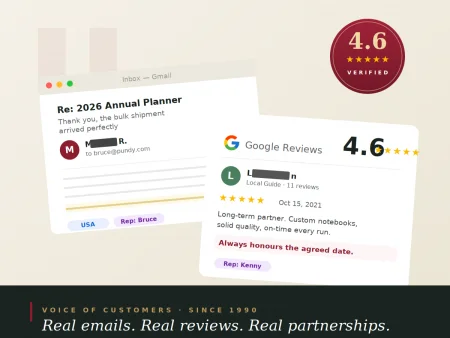 4.6★ on Google · Trusted Since 1990
Real emails from international clients. Real Google reviews from long-term partners. See what 36 years of getting the details right looks like — in their own words.
Read More -
 Awards of Taiwan Golden Print
PUNDY won awards of Taiwan Golden Print in 2011.
Read More -
 New Notebook for 2015
The business notebook designed by PUNDY is especially made for office users who love simple and fashionable designs.
Read More